Quickly export a unified CSV of your crypto activity from multiple exchanges using Moonscape 🚀
Binance and Coinbase support is now live!
Connect your exchanges
Getting a CSV export of your crypto activity with Moonscape is a quick and simple process:
- Login to Moonscape
- Link your exchanges to Moonscape by adding your read-only API keys
- That's it!
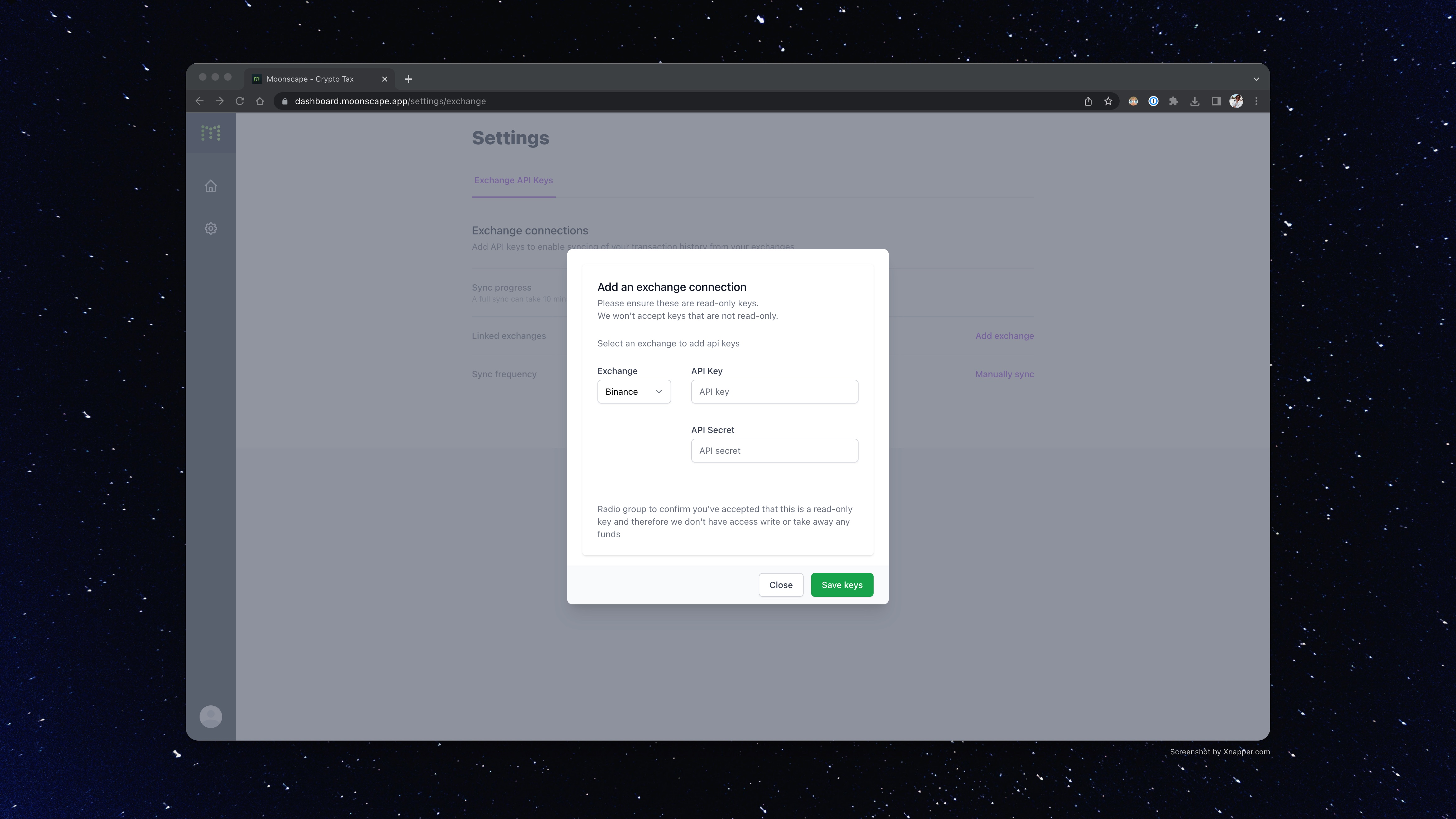
Moonscape will regularly sync your trading activity and you can easily view (and smart search) your trades.
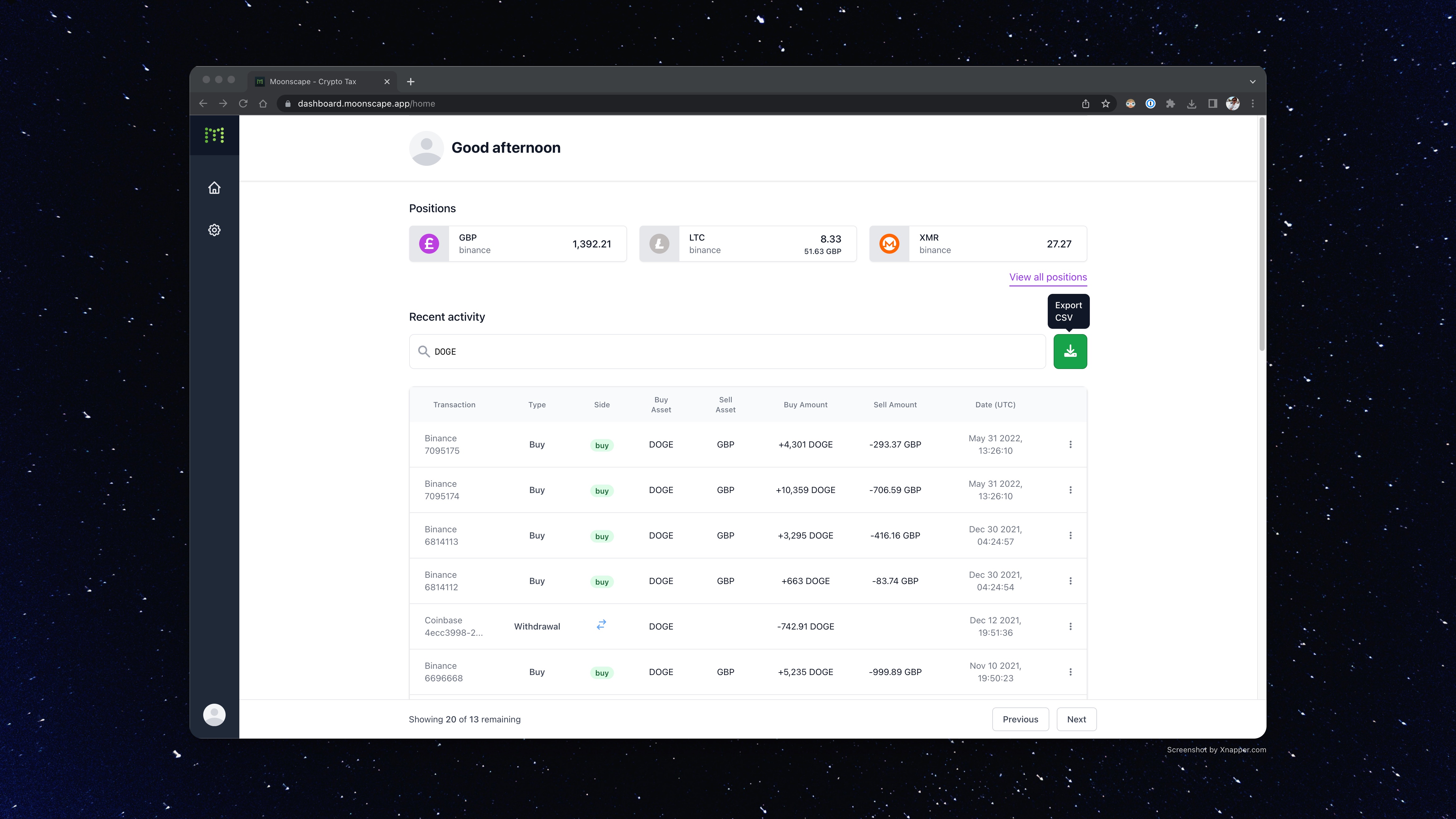
Export your CSV
Simply click the Export CSV button and get all your crypto activity across exchanges into one CSV in a unified format.
Any time you have new activity you just have to click the Export CSV button again to get an updated CSV.
See your balances in one place
You can also view your balances across exchanges, so your crypto is all in one place.
Check it out
Try it at moonscape.app 👉
Let us know what you think. Email us at hello@moonscape.app
Follow on Twitter: @MoonscapeHQ