How to import data via Binance Exchange API key?

Create a read-only key on Binance and connect it in a couple of minutes

Create the key on Binance

Quick link: go straight to API management on Binance.

  1. Sign in to your Binance account.

  2. Open API Management from the menu under your profile, top right.
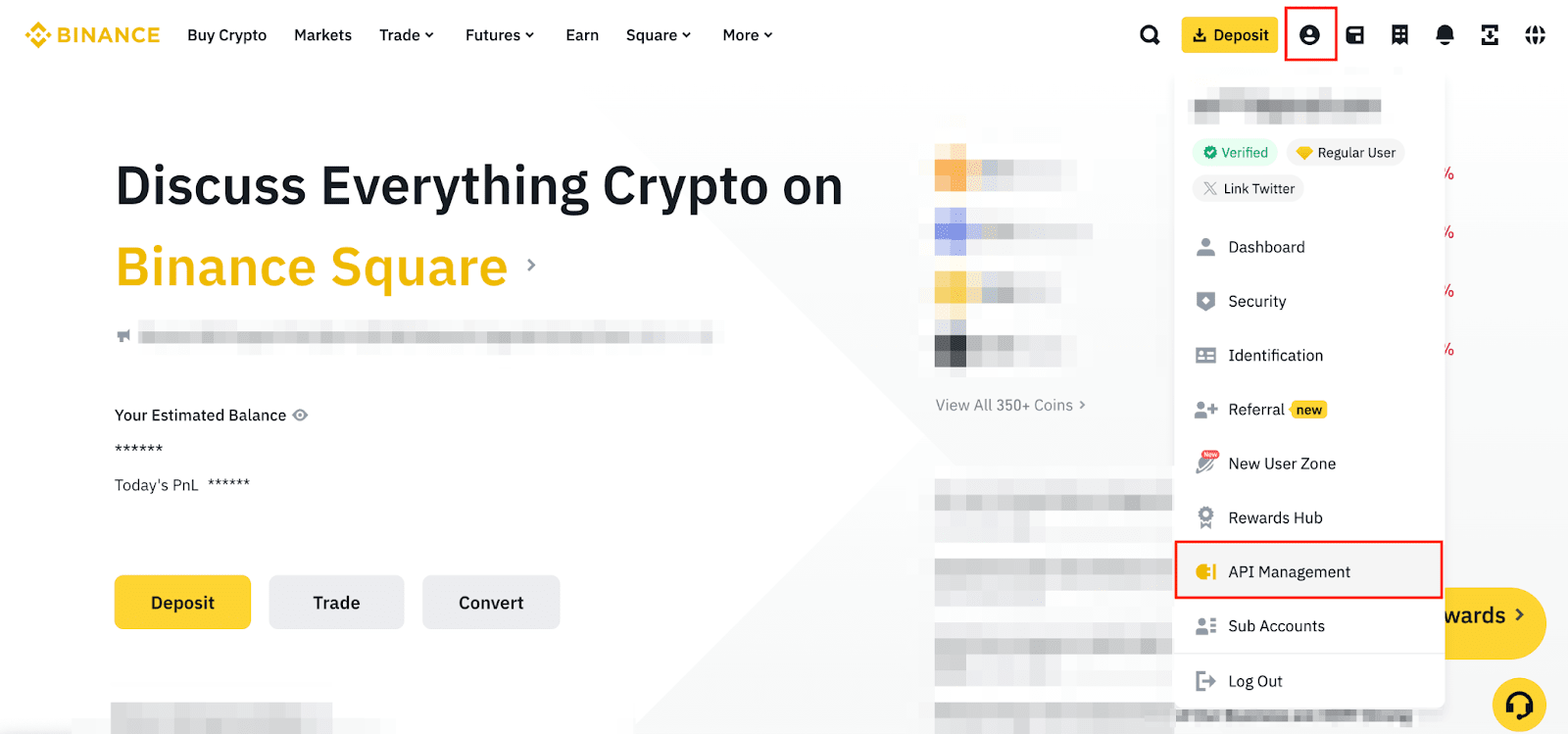
    Binance API management

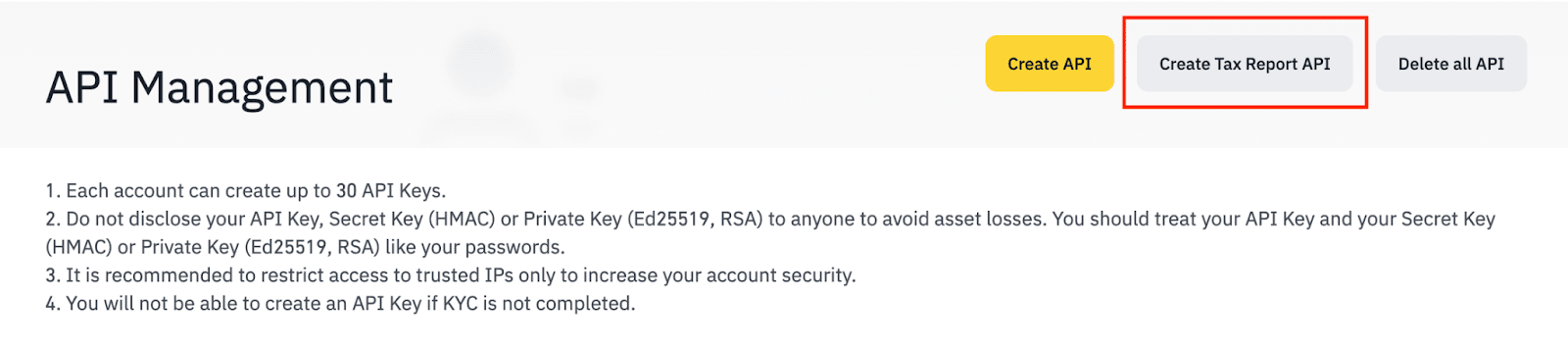
  3. Click Create Tax Report API.

    Binance Tax Report API

  4. Click Send code, then enter the codes Binance emails and texts you, and confirm with Send.

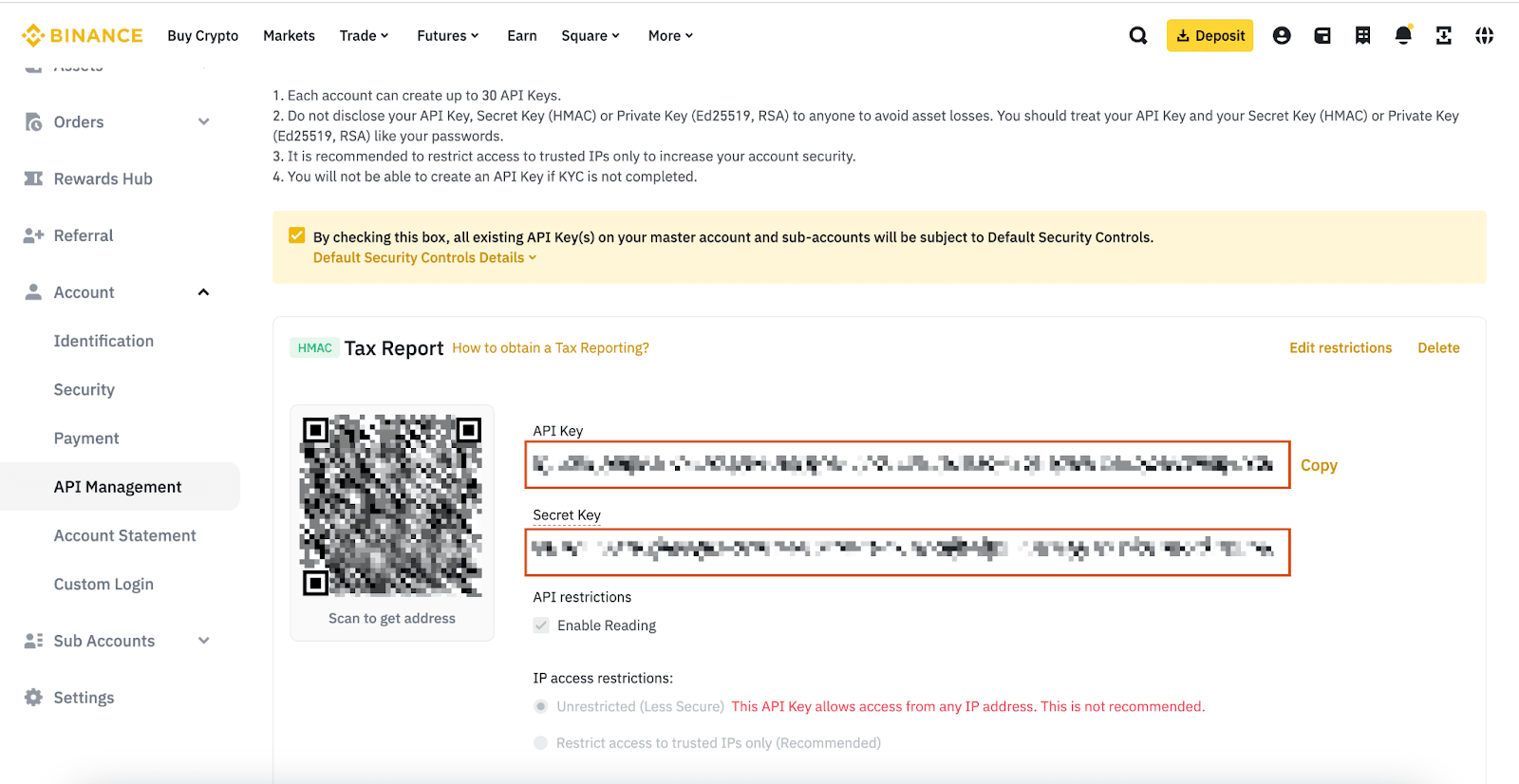
  5. Copy your API key and Secret.

    Binance Tax Report API keys

One Tax Report API per account. Binance allows only one, and it is read-only by design, which is all we need.

The Secret is shown once. Copy it before you leave the page. If you lose it you have to delete the key and create another.

Connect it in Moonscape

  1. Open the Moonscape web app and go to Settings.
  2. Under Exchange connections, click Connect exchange.
  3. Choose Binance from the list.
  4. Paste your API key and Secret into the fields.
  5. Click Add.

Your transactions sync from here on, for both portfolio tracking and tax.

If something is missing

If transactions are not appearing correctly, email us and we will get them into the import. Every report shapes what we build next.

Start with a free diagnostic scan.

Show us the mess — redacted is fine. You get back how many transactions we found, how many missing cost bases, how many unmatched transfers, and how many tax years are affected. Yours to keep either way.

Get my free scanAbout two business days · fixed quote from £499
Read nextImporting · 3
25 Aug 2026
How to import your Robinhood history
Robinhood exports crypto, shares and your wallet as three different files. Here is which one you need.
3 min
07 Dec 2024
Moonscape CSV Format Guide
Learn about the Moonscape CSV format structure, column definitions, and how to use our standardized format for crypto trading data across exchanges
3 min
25 Feb 2024
How to import data via Coinbase Exchange API key?
Create a read-only key on Coinbase and connect it in a couple of minutes
2 min